


Understand changes
See what moved and where.
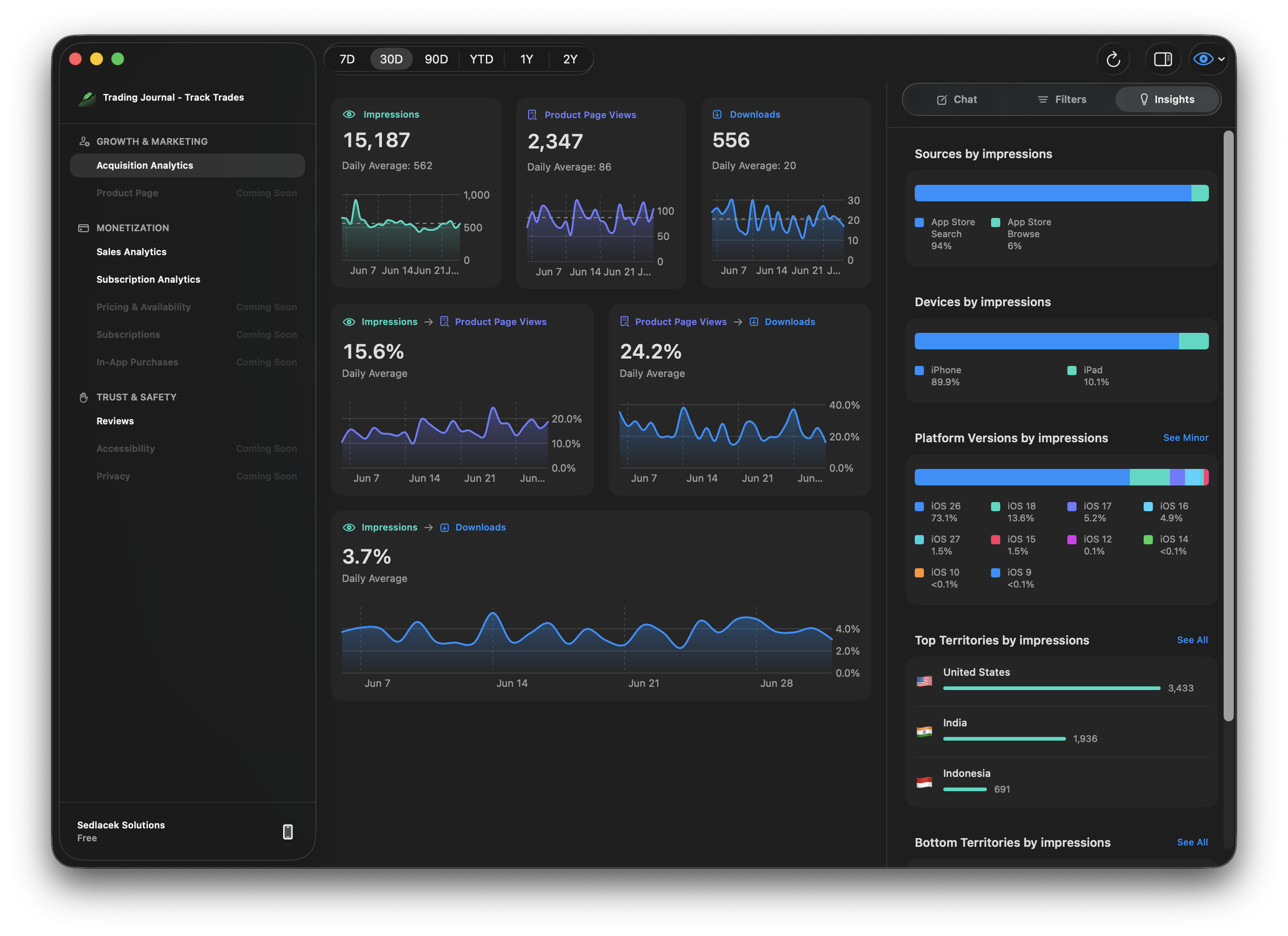
Track the signals that shape your app business, from downloads and conversion to sources, territories, devices, and page types.
See what changed. Know where to focus. Automate the work that follows.
Use Cases
Find the changes, feedback, and opportunities worth acting on.
Understand changes
Track the signals that shape your app business, from downloads and conversion to sources, territories, devices, and page types.
Acquisition Chat
Ask what changed most, which source converts, where users drop off, and which territories or devices turn attention into downloads.
Funnel metrics
Follow the top-level acquisition path from App Store impression to product page view to download, with conversion rates in the same workspace.
Breakdowns
See where impressions come from, how device mix changes, and which territories are strongest or weakest in one acquisition view.
Acquisition filters
Filter by territory, device type, source type, and page type, then use the same context across charts and Acquisition Chat.
Find the cause
Use chat, filters, and breakdowns to move from a metric change to the segments behind it.
Revenue Chat
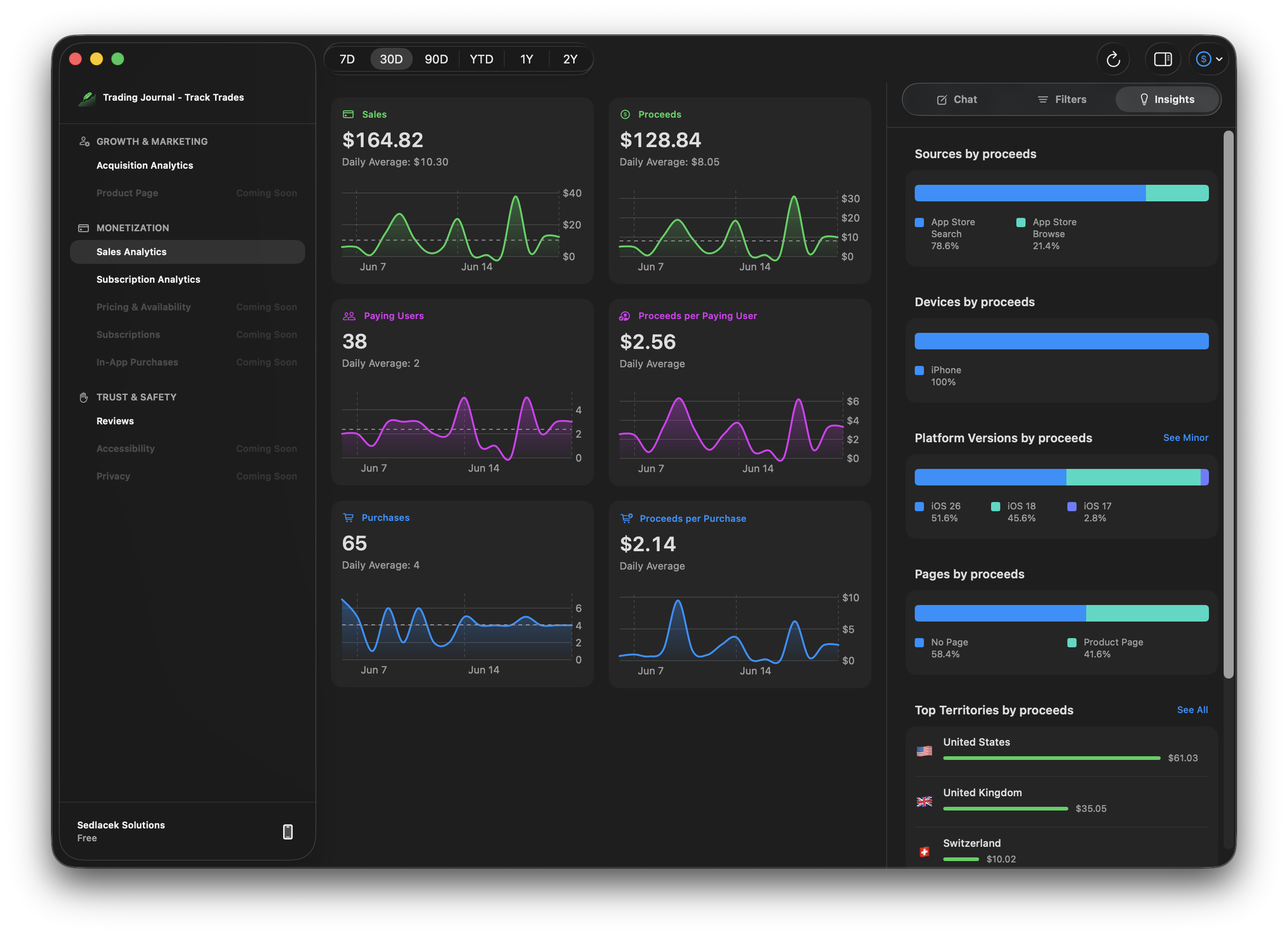
Ask which territories, source types, devices, days, or segments stand out across proceeds, sales, purchases, paying users, and revenue mix.
Revenue metrics
Watch sales, proceeds, paying users, purchases, and per-user or per-purchase revenue move together in one filtered workspace.
Breakdowns
See which sources, devices, page types, and territories contribute the most proceeds, then compare the strongest and weakest segments.
Revenue filters
Filter revenue by territory, device type, source type, and page type, then use that context across charts, breakdowns, and Revenue Chat.
Understand subscribers
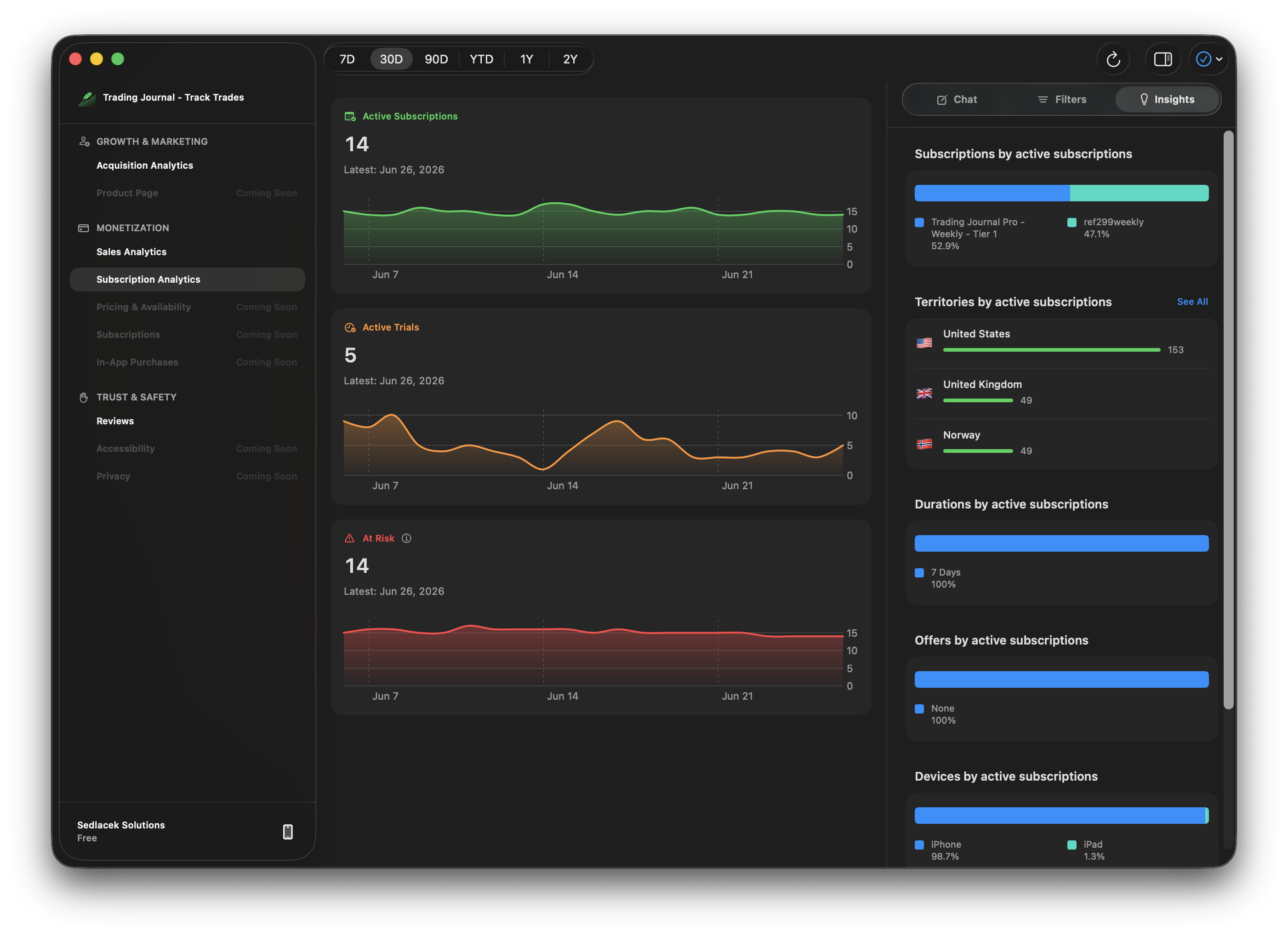
Track active subscriptions, trials, churn, recoveries, subscribers, and proceeds with the same focused App Store context as your other analytics.
Subscription Chat
Ask about churn and recovery patterns, trial conversion, territory mix, and the subscription or device segments contributing most to proceeds.
Subscription metrics
Follow the trend cards that matter for subscriber health, including active subscriptions, active trials, churn, recoveries, subscribers, and proceeds.
Breakdowns
See which subscriptions dominate the active base, which territories are strongest, and how durations, offers, and devices shape the mix.
Subscription filters
Narrow the view by territory, subscription, duration, and device, then carry that same context into charts, breakdowns, and Subscription Chat.
Act faster
Draft replies, translate feedback, and prepare review actions without losing the context that matters.
Chat
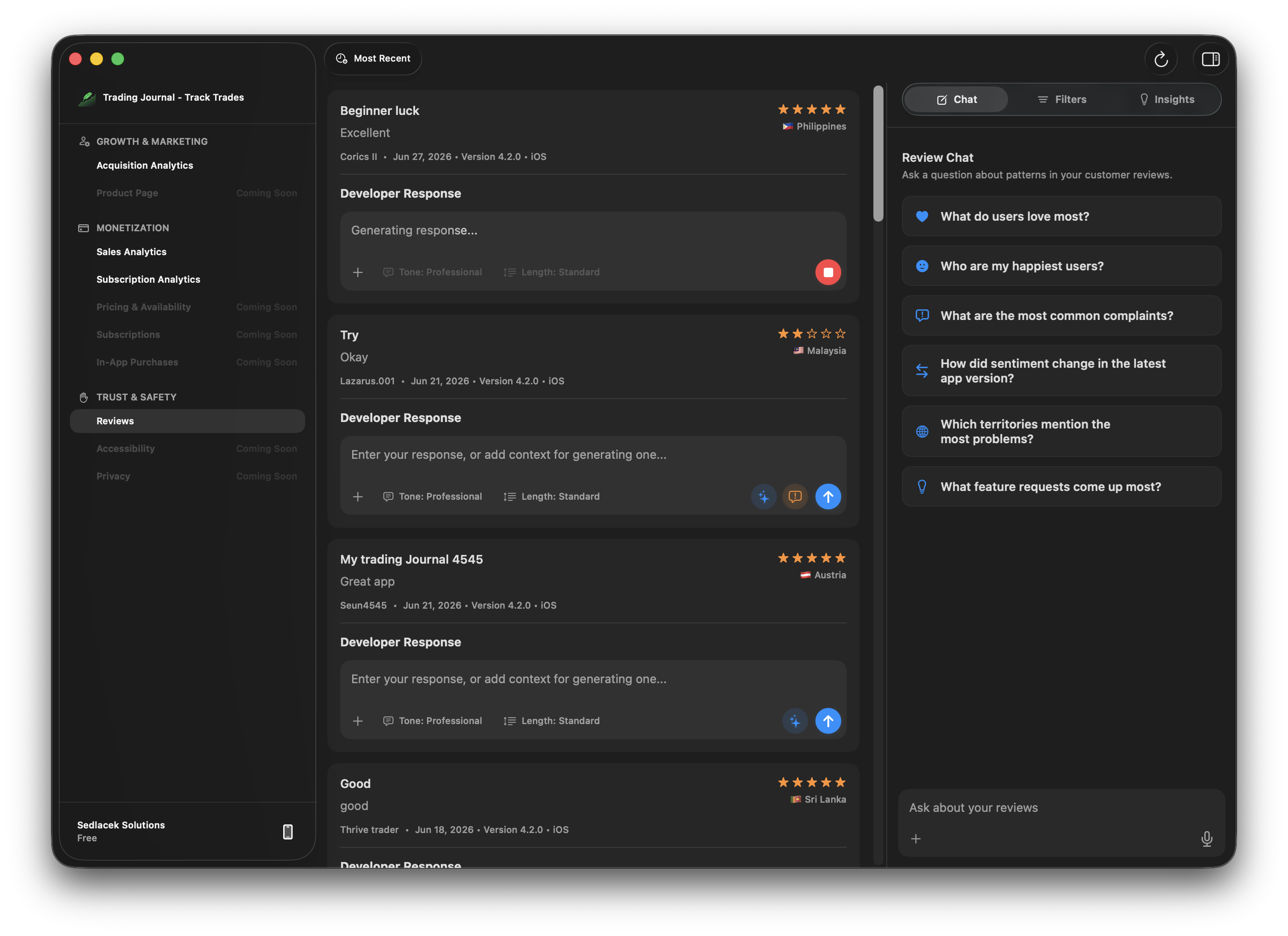
Chat turns your customer reviews into answers about what users love, recurring complaints, sentiment changes, and feature requests.
GitHub
When a repository is connected, Review Chat can turn repeated complaints and feature requests into GitHub issue candidates for you to review and create.
Generated responses
Generate a response in context, adjust the tone and length, then send it without losing sight of the review, rating, version, or territory.
Translations
Keep the original text nearby while viewing translated reviews and translated response previews for international feedback.
Filters
Narrow the workspace to the reviews that matter, then pair the filtered list with the response and chat workflows beside it.
Metrics
Switch into metrics to see rating trends, review volume, and distribution in the same filtered workspace.
Request removal
When a review should be escalated, collect the review details and draft a concise request for App Store review moderation.
Pricing
Subscriptions are available only through Apple within the iOS and macOS apps.
Try real answers on your App Store data.
50 monthly credits
More monthly analysis, drafting, and translation capacity.
500 monthly credits
Answers to common questions about subscriptions, credits, credentials, and Apple account management.
Subscriptions are managed through Apple inside the iOS and macOS apps.
Free includes 50 monthly intelligence credits.
Pro includes 500 monthly intelligence credits for Review Chat, Revenue Chat, Acquisition Chat, drafting, and translation workflows.
App Store Connect credentials are stored securely in the Keychain and used only to connect to App Store Connect.
No. Insights uses Apple-provided APIs but is not affiliated with or endorsed by Apple.
Yes. Subscriptions are managed through your Apple account.